
How to Remote Start Your Toyota: Key Fob & Toyota App Guide
How to Remote Start Your Toyota: Key Fob & Toyota App Guide
Posted on August 19, 2026
Want to warm up your Toyota before an Ottawa winter drive or cool the cabin before getting in during summer? Depending on your Toyota model, model year and equipment, remote start may be available through the key fob or through Remote Connect in the Toyota App.
This Orleans Toyota guide explains the basic remote-start process, how long it runs, what Remote Connect can do and some common reasons your Toyota remote start may not work.
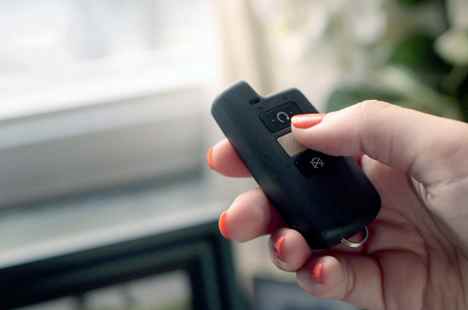
How to Remote Start a Toyota With the Key Fob
On compatible Toyota vehicles, the key-fob sequence is simple:
Press and release the LOCK button.
Press and release LOCK again within two seconds.
Immediately press and hold LOCK for about three seconds.
If the command is accepted, the hazard lights provide confirmation and the engine starts. Key-fob remote engine start is available only on select Toyota vehicles and requires the applicable connected vehicle equipment/services.
How to Remote Start Your Toyota Using the Toyota App
Remote Connect allows owners of compatible vehicles to send remote commands using the Toyota App. The exact screen and available functions can vary by vehicle.
1. Open the Toyota App
Sign in using the Toyota account associated with your vehicle.
2. Select Your Vehicle
Choose your enrolled Toyota from the app.
3. Find Remote Connect
Use the remote-start function shown for your compatible vehicle.
4. Send the Command
Follow the app prompts to send the remote-start request to your Toyota.
Remote Connect can provide functions such as remote engine start/stop and door lock/unlock on select models. Available features depend on the vehicle.
How Long Does Toyota Remote Start Run?
Gas & Hybrid Toyota Vehicles
Remote Engine Start can run the engine for up to 10 minutes.
Plug-In Hybrid & Electric Vehicles
Remote Climate Start can operate climate control for up to 20 minutes.
Can Toyota Remote Start Turn On the Heat?
On select Toyota Multimedia-equipped vehicles with an active Remote Connect trial or subscription, the Toyota App may provide remote access to climate-related functions such as climate control, defrosters, heated seats and a heated steering wheel.
That can be particularly useful during cold mornings in Orleans and the Ottawa area. Feature availability varies, so check the Toyota App for the functions supported by your vehicle.
Why Isn't My Toyota Remote Start Working?
If Remote Connect isn't starting your vehicle, check the basic operating conditions before assuming there is a problem with the system.
Vehicle Is in Park
The vehicle must be in Park for the remote command.
Doors Are Closed & Locked
Toyota specifies that the doors should be closed and locked for at least two minutes before attempting a Remote Connect start.
Key Isn't Near the Vehicle
The key fob should not be inside or near the vehicle.
Hood & Openings Are Closed
The hood, trunk and moonroof should be closed.
Check the Fuel Level
For applicable vehicles, Toyota specifies a fuel level above one-quarter tank.
Check the Temperature
Remote Connect commands may not operate when ambient temperature is approximately -30°C or below.
Does Toyota Remote Start Require a Subscription?
Remote Connect is offered with a complimentary trial on applicable Toyota vehicles. After the trial ends, continued access is available through a paid subscription. Trial length and feature availability can vary by vehicle, so check the Toyota App for your specific Toyota.
Does Every Toyota Have Remote Start?
No. Remote-start availability depends on the Toyota model, model year, equipment and Connected Services capability. App-based Remote Engine Start/Stop and short-range key-fob remote start/stop are not available on manual-transmission models.
Research the 2026 Toyota Corolla
Explore the Corolla lineup, features and technology available to Toyota shoppers in Orleans.
Research the 2026 Toyota Tacoma
Explore Tacoma features and options if a Toyota pickup is on your shopping list.
Key Fob Remote Start vs Toyota App Remote Start
Key Fob
Designed for short-range remote engine start on select compatible vehicles. Use the LOCK, LOCK, HOLD LOCK sequence.
Toyota App
Remote Connect communicates through connected vehicle services and can offer additional remote functions depending on the Toyota.
Use Toyota Remote Start Safely
Remote start should only be used when you know the conditions around your vehicle and when it is legal and safe to do so.
Toyota Remote Start FAQ
How do I remote start my Toyota with the key fob?
On compatible vehicles, press and release LOCK twice within two seconds, then immediately press and hold LOCK for approximately three seconds.
How long does Toyota remote start last?
Toyota Canada states that gas and hybrid vehicles can run for up to 10 minutes with Remote Engine Start. Remote Climate Start for plug-in hybrid and electric vehicles can operate for up to 20 minutes.
Why won't my Toyota remote start?
Check that the vehicle is in Park, the doors are closed and locked, the key isn't inside or near the vehicle, the hood and other openings are closed, and the other required Remote Connect conditions are met.
Can I remote start my Toyota in an Ottawa winter?
Compatible vehicles can use remote start when operating conditions are met. Toyota notes that Remote Connect commands may not operate when ambient temperature is approximately -30°C or below.
Do all Toyota vehicles have remote start?
No. Availability varies by model, model year, equipment and Connected Services capability.
More Help for Toyota Owners in Orleans
Remote start is only one part of Toyota ownership and connected technology. Visit Orleans Toyota's Owners Information section for additional resources about owning and understanding your Toyota.
Need Help With Your Toyota in Orleans?
If you've checked the steps above and still need assistance, Orleans Toyota can help. Connect with our team or visit our service department for additional support.
Remote-start, Remote Connect, climate and Connected Services functionality varies by vehicle, model year, equipment, subscription status and connectivity. Refer to the Toyota App and your vehicle's Owner's Manual for applicability and operating instructions.